Documentation
Connection Management
New connection
-
click
Connection Management->New Connection, and then input connection parameters.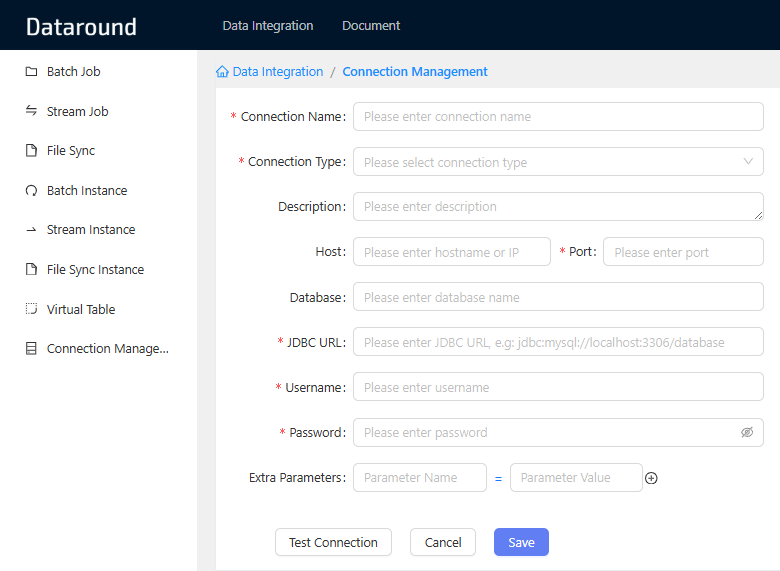
-
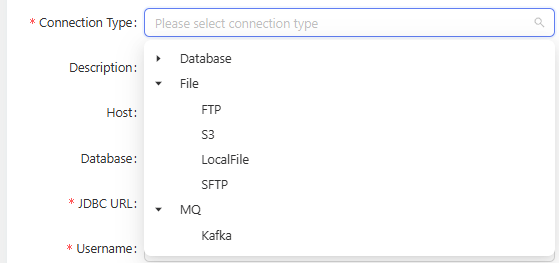
select connection type; supported types are:
- Database: PostgreSQL, MySQL, Oracle, SqlServer, Tidb, Hive, MySQL-CDC, SqlServer-CDC, etc.
- Message Queue: Kafka
- File: Local File, FTP, SFTP, S3, etc.
-
Extra Parameters, you can input extra parameters, e.g.
zeroDateTimeBehavior=CONVERT_TO_NULLfor MySQL.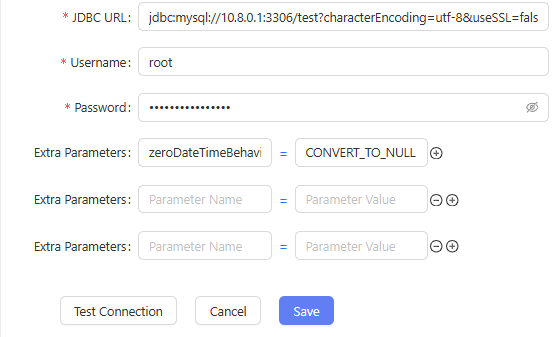
-
click
Test Connectionto test the connection. If the connection is successful, you will see a success message. -
click
Saveto save the connection.
Edit connection
- click
Connection Management, select the connection you want to edit, and then clickEdit, and then input connection parameters.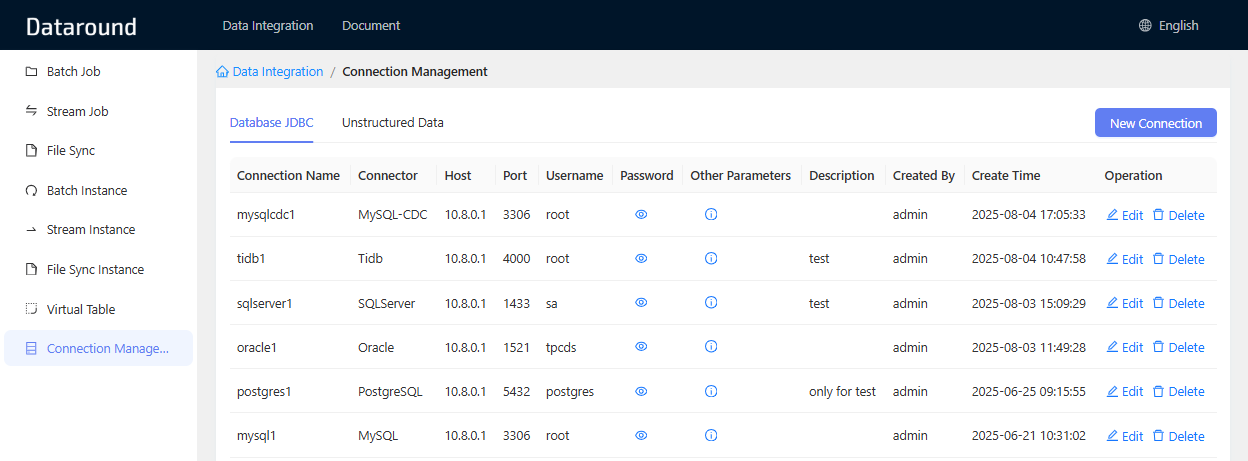
Job Management
Batch Job
New Batch Job
- click
Batch Job->New Batch Job, and select source connection, database, target connection and target database. - select source tables in
Table Mapping, and then select target table. - you can add filter condition in
Filter Condition, e.g.where id > 1000000.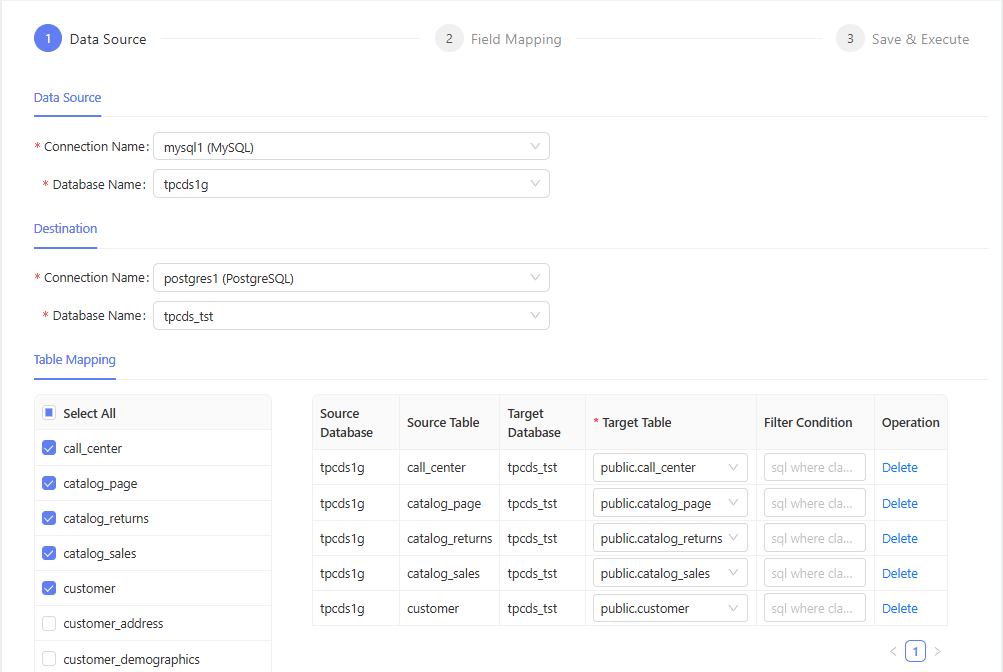
- click
Nextto set field mapping inField Mapping. each table requires field mapping, you can remove unnecessary fields, and the program can auto-match by field name or field order. The data write mode can beInsertorUpsert.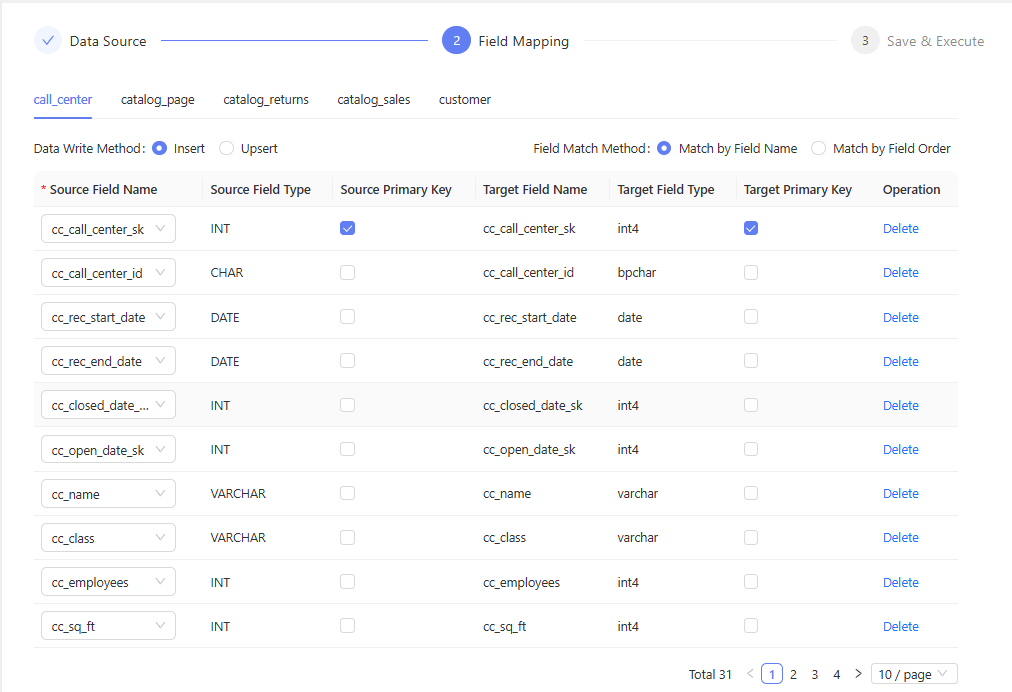
Edit Batch Job
- click
Batch Job, select the job you want to edit, and then clickEdit, and then input job parameters.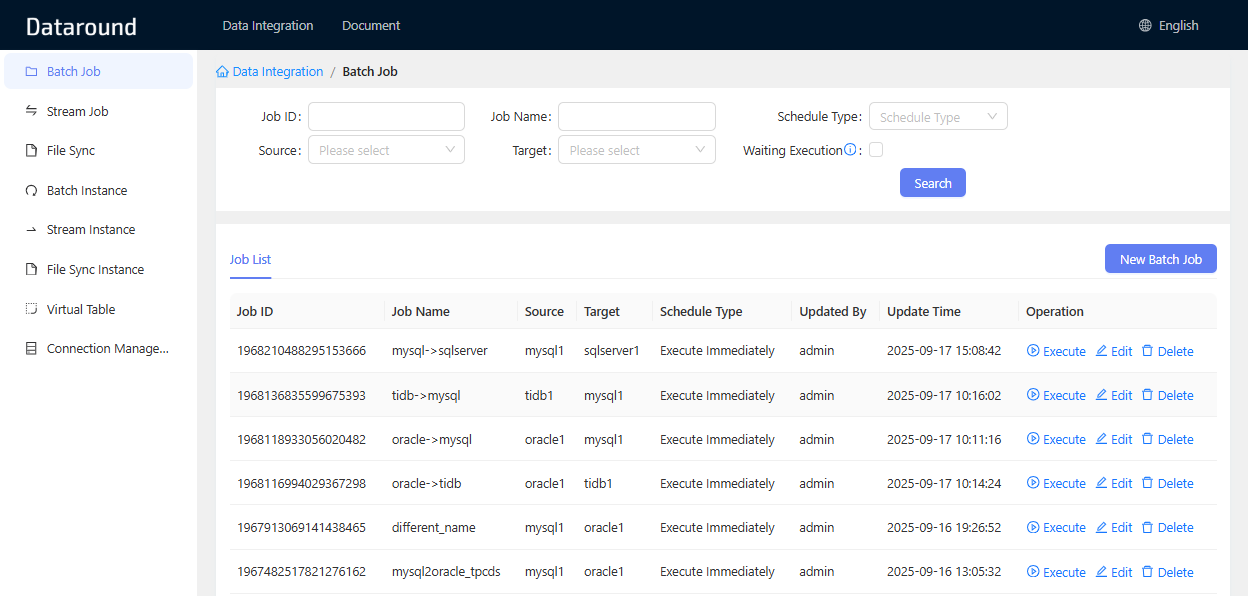
Stream Job
New Stream Job
- click
Stream Job->New Stream Job, and select stream source connection, database, target connection and target database. - the other steps are similar to batch job, please refer to New Batch Job.
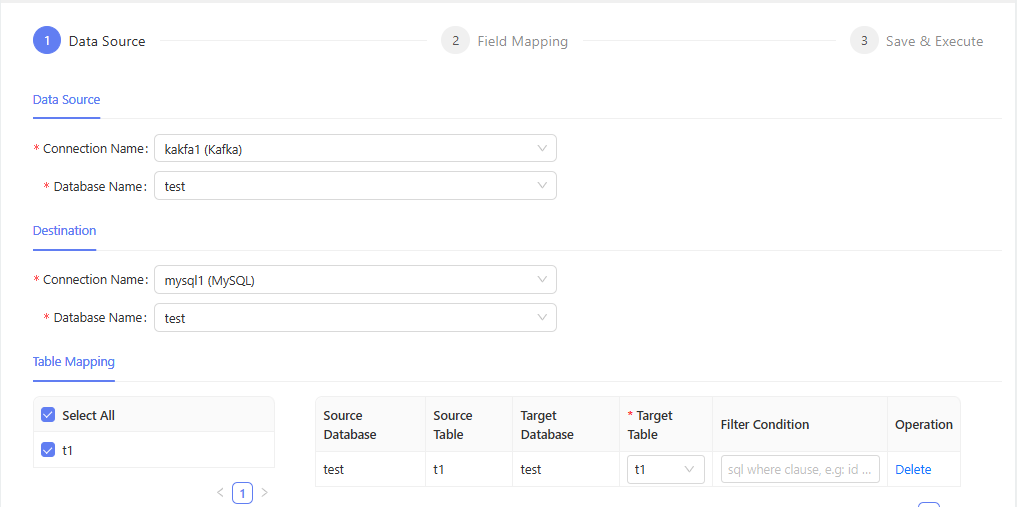
Edit Stream Job
- click
Stream Job, select the job you want to edit, and then clickEdit, and then input job parameters.
File Sync
New File Sync Job
- click
File Sync->New File Sync Job, and select source connection, path, pattern, target connection and target path. - select source files in
Source File, and then select target file.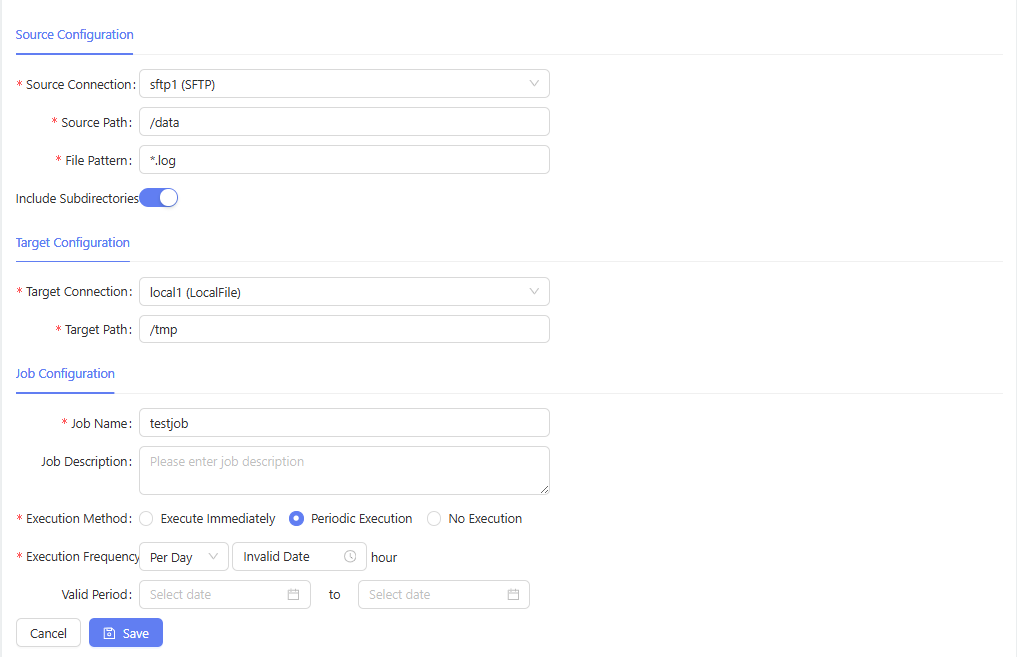
Edit File Sync Job
- click
File Sync, select the job you want to edit, and then clickEdit, and then input job parameters.
Job Instance
Batch Instance
- view batch job instance in
Batch Instance. It shows the instance list, you can filter by job name, status, etc. - each instance shows status, start time, end time, read count, write count, read qps, write qps, and error message if failed.
- click
Logto view the job instance log.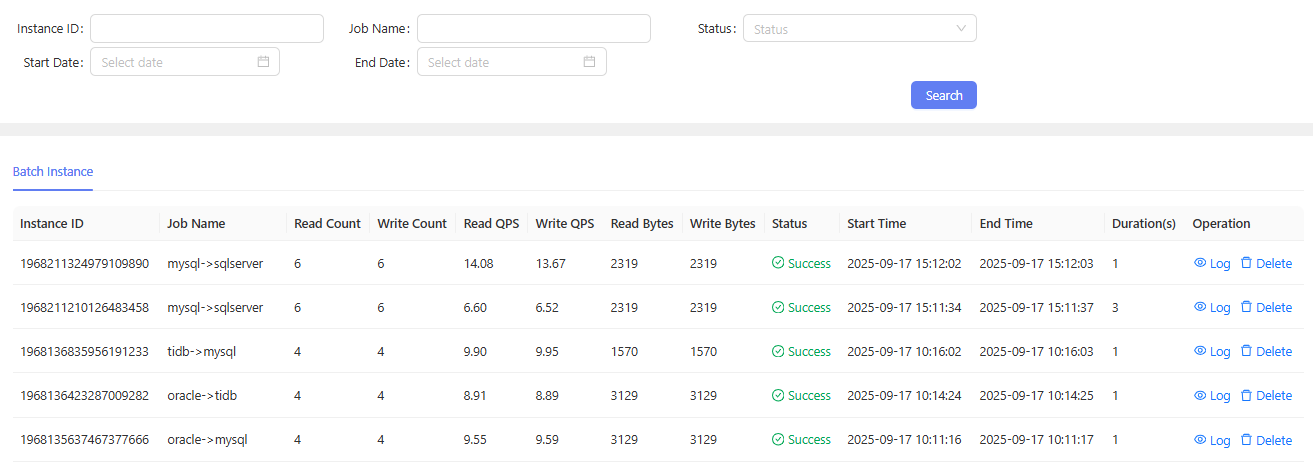
Stream Instance
- view stream job instance in
Stream Instance. It shows the instance list, you can filter by job name, status, etc. - each instance shows status, start time, end time, read count, write count, read qps, write qps, and error message if failed.
- click
Logto view the job instance log.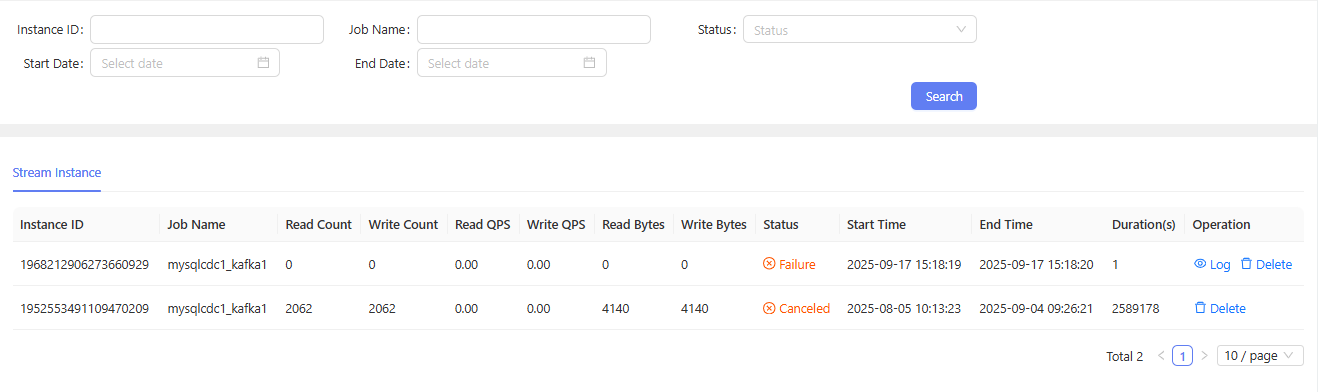
Virtual Table
virtual table is a special table that abstracts unstructured data (such as JSON, TEXT, etc.) into structured data, and users can use virtual tables just like normal tables.
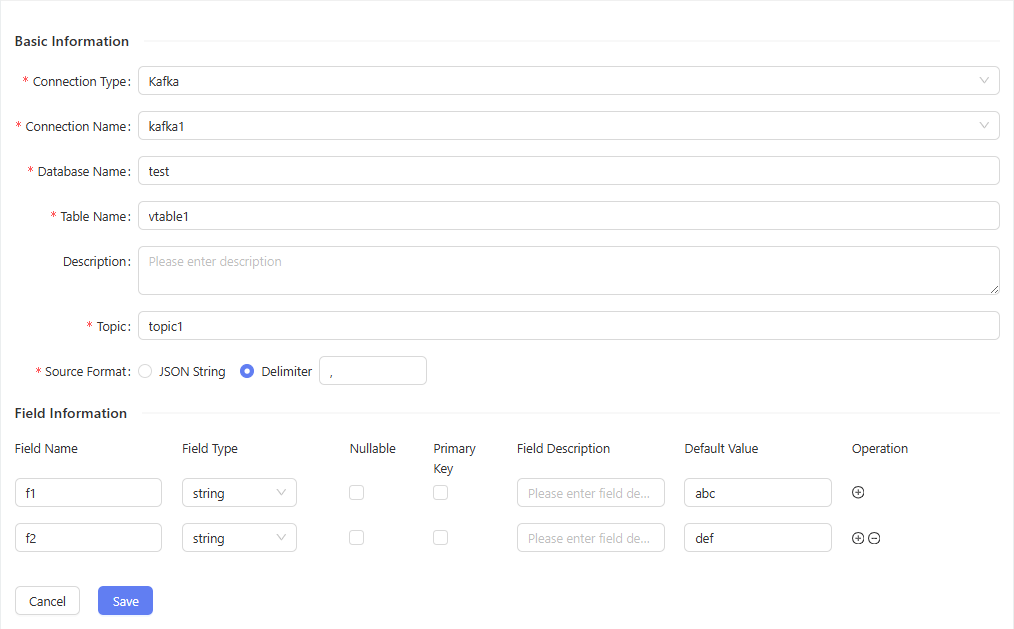
FAQ
Common questions and answers about using Dataround.
For more help, visit our Community page.